
OpsLogger: dive operations logging
OpsLogger helps public safety dive teams log dives in real time, track every diver, and turn the records into reports. It runs on iOS, Android and the web, with ERDI and PADI PSD templates and customizable forms.
Inside the app
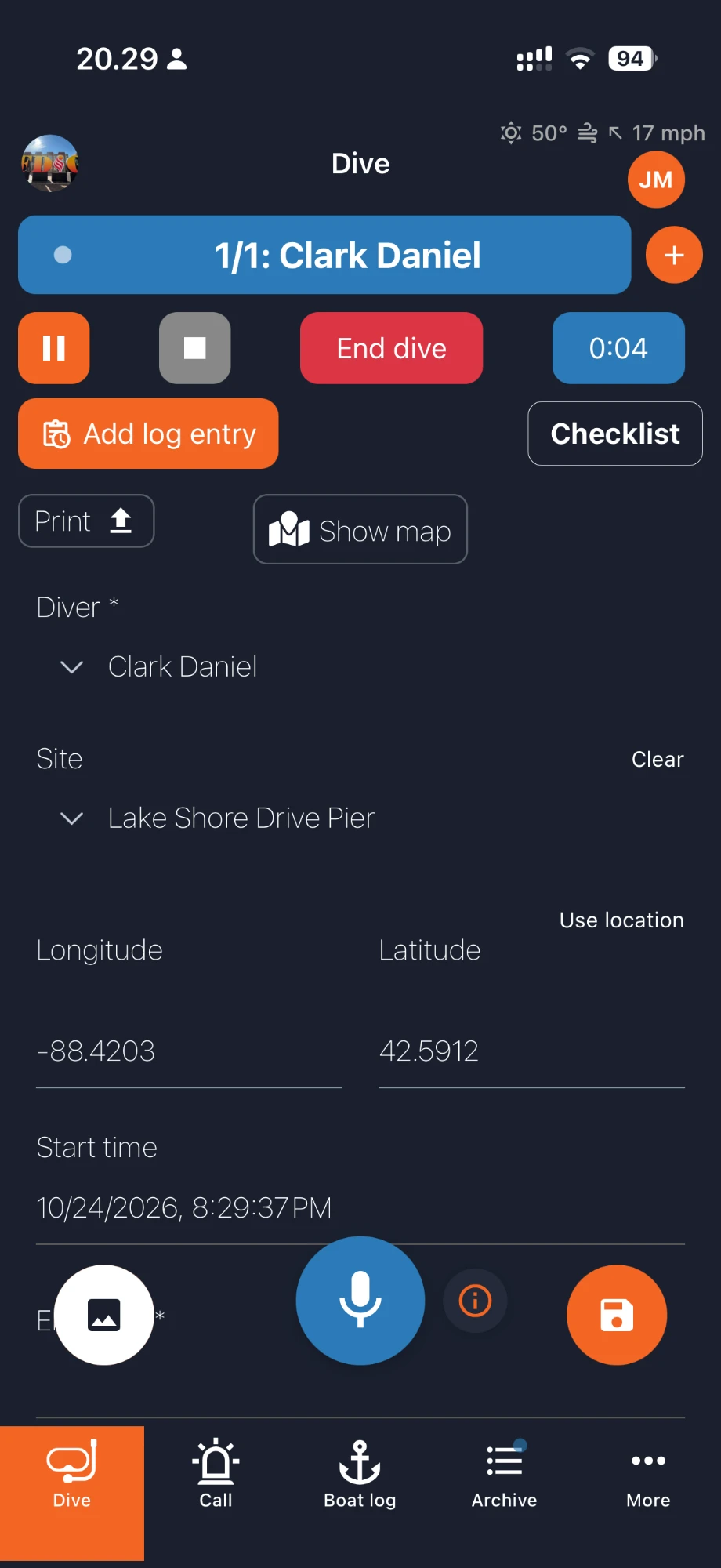
Live dive logging
Every diver gets a timer. Pause, stop or end the dive, add timestamped log entries and open the checklist without leaving the screen.
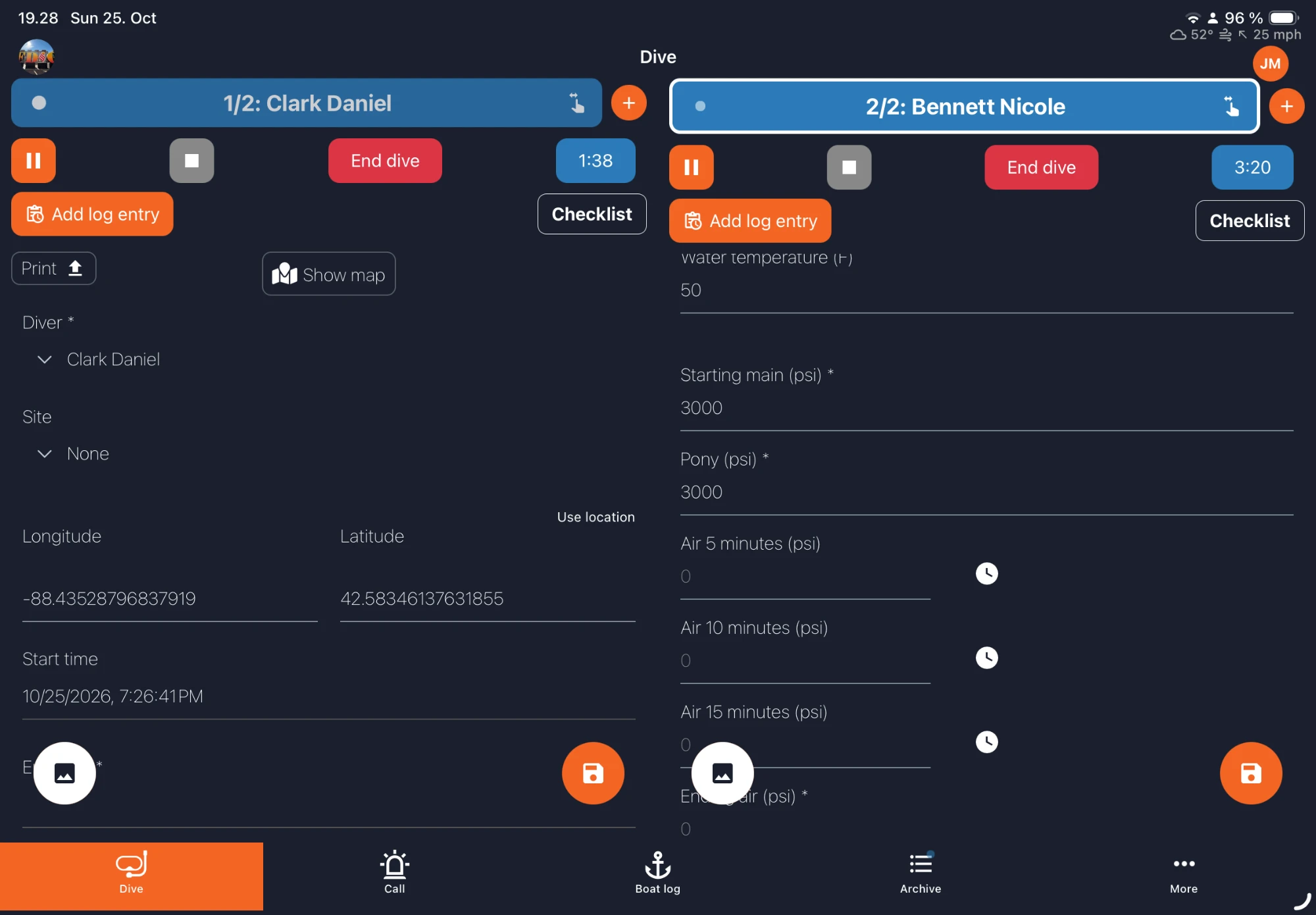
Several divers at once
On a tablet, log several divers side by side. Each diver has their own timer, form and log entries.
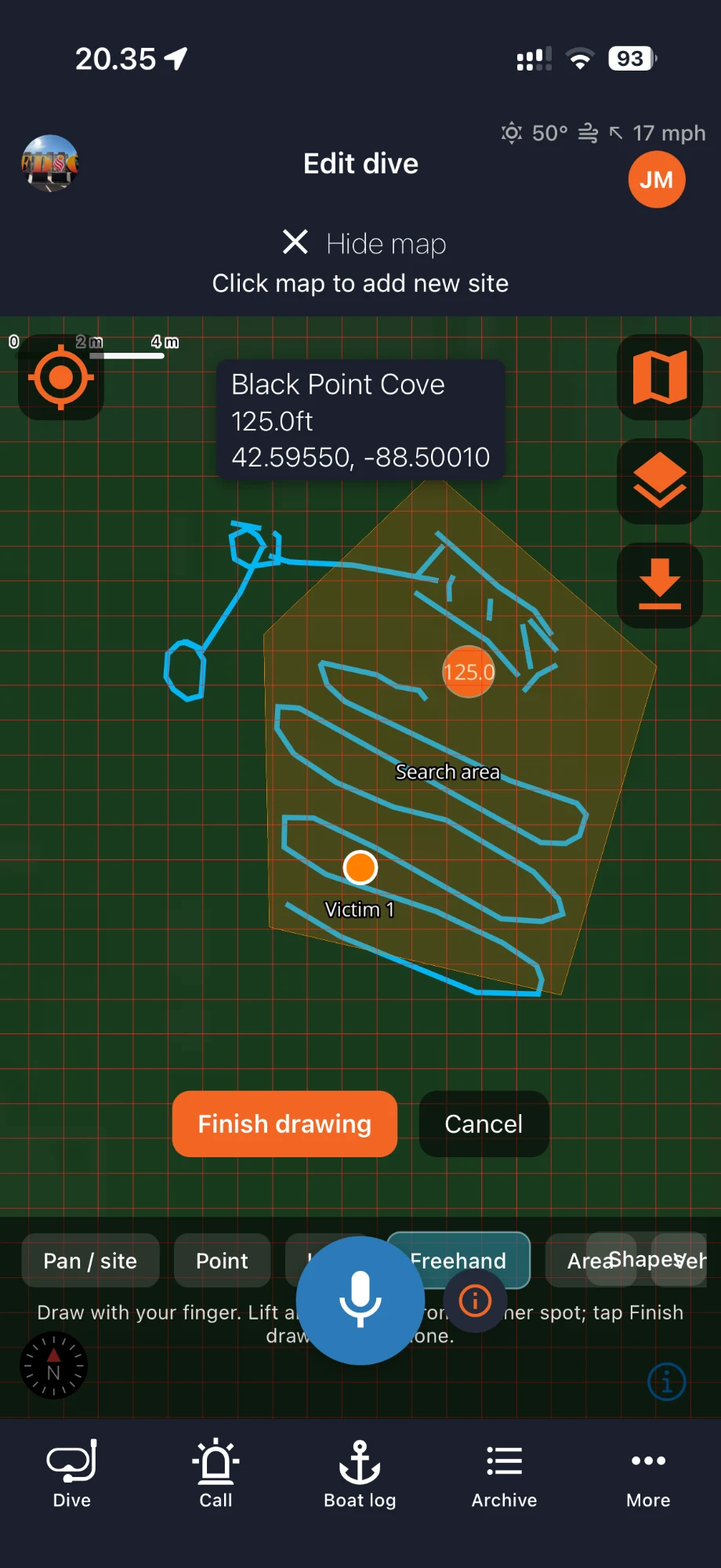
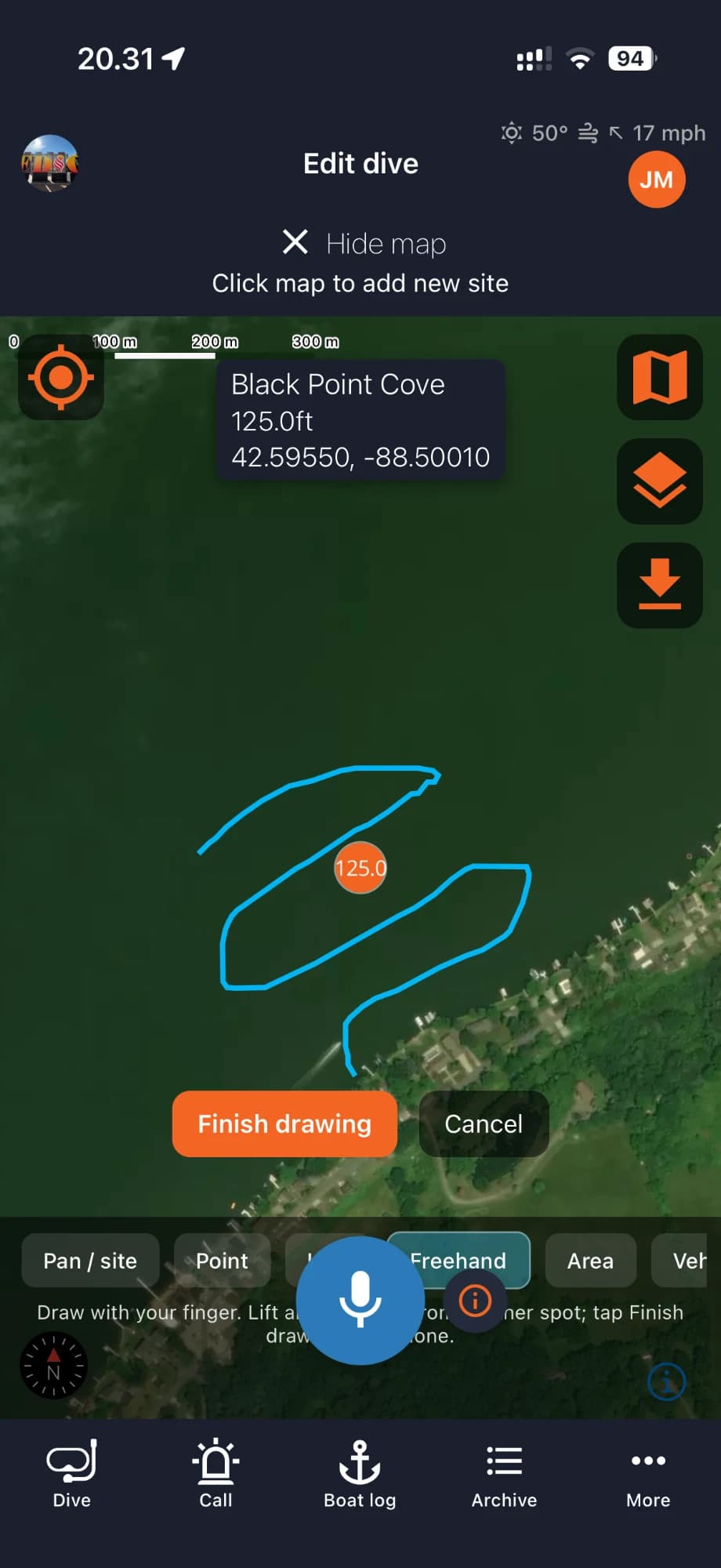
Search patterns on the map
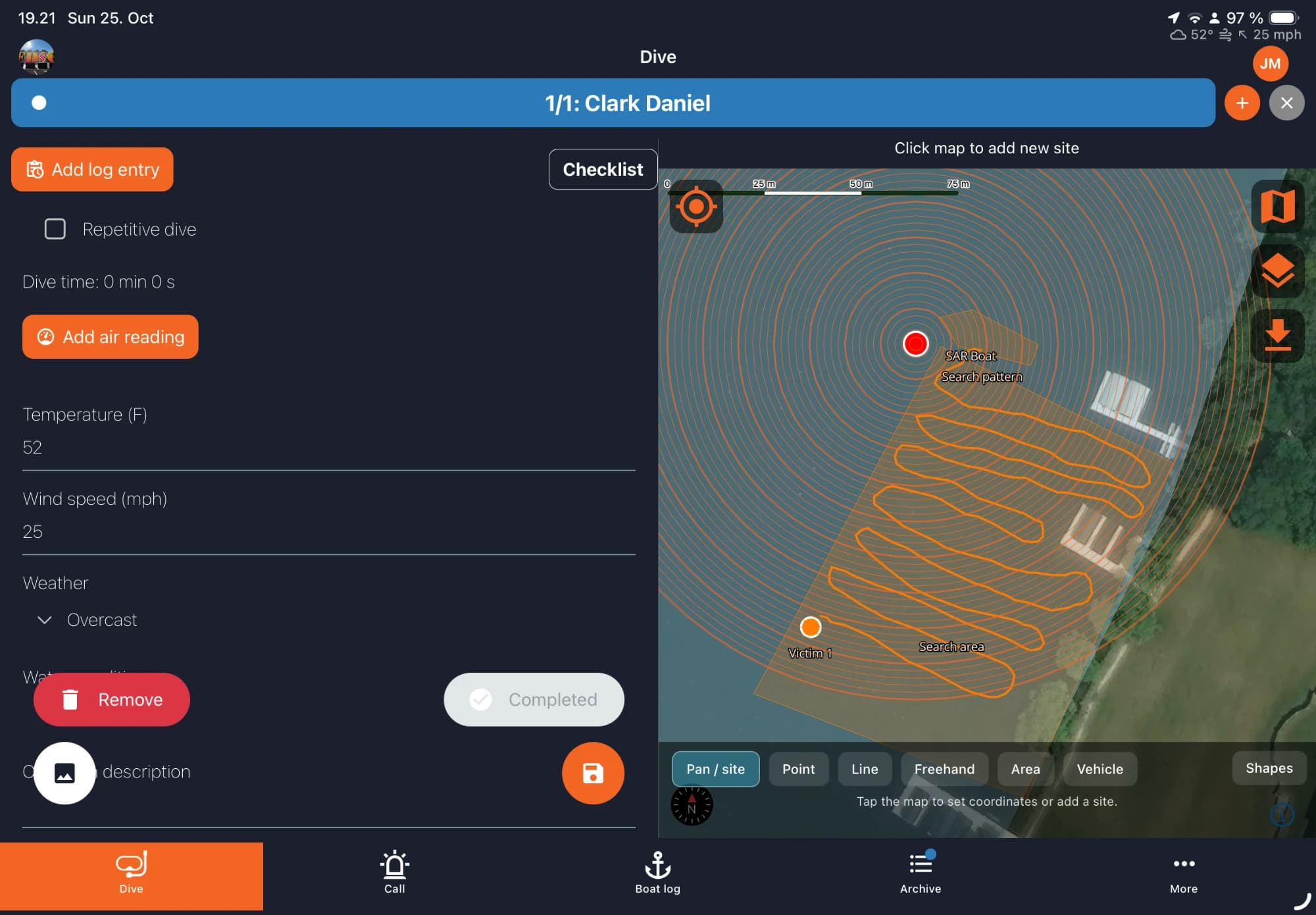
Draw the search area, mark the victim and keep the recorded search pattern with the dive. Switch between the plain map and satellite view.
Form and map together
On a larger screen the dive form and the map sit side by side, so the search area and search pattern stay in view while you log.
Checklists and log entries
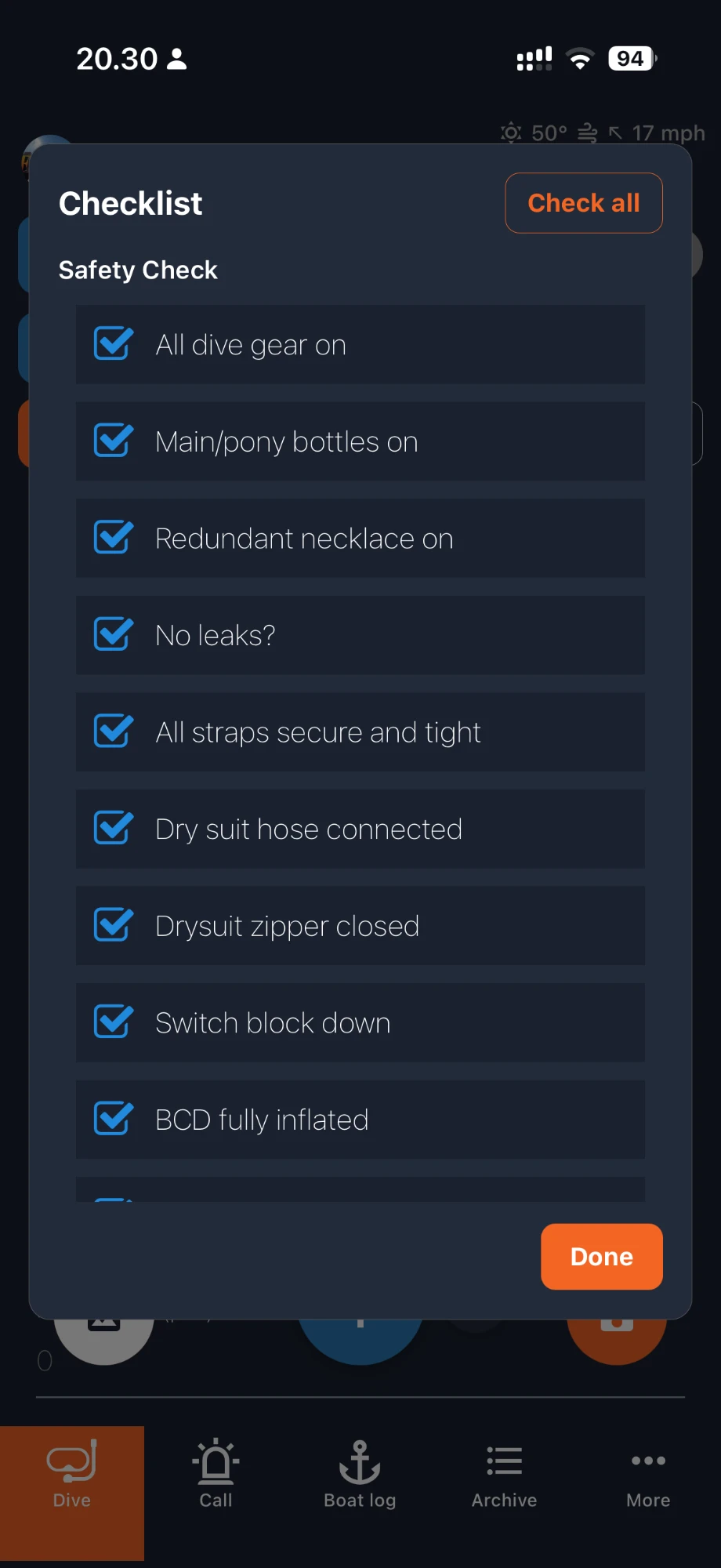
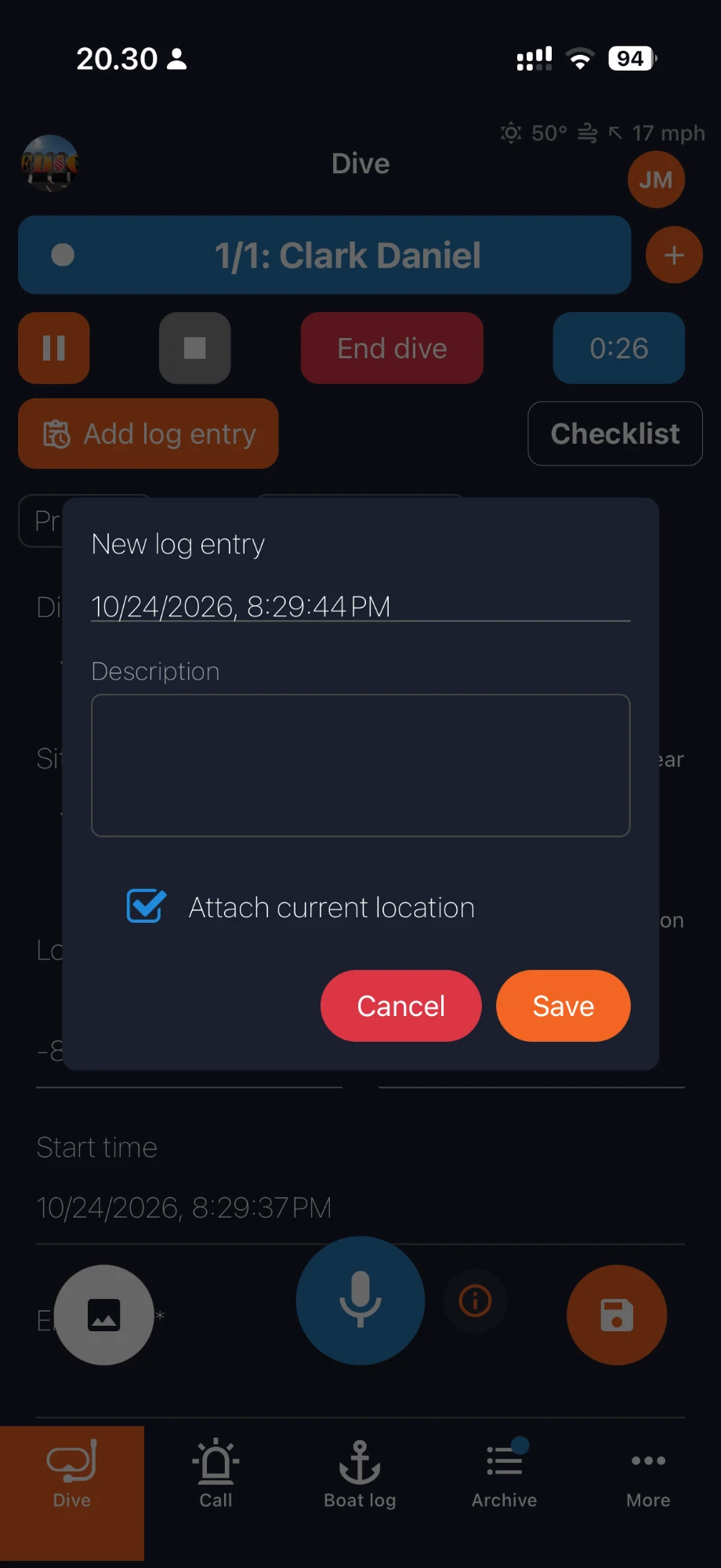
Run your safety checklist before the dive. Add log entries with a timestamp and attach the current location when it matters.
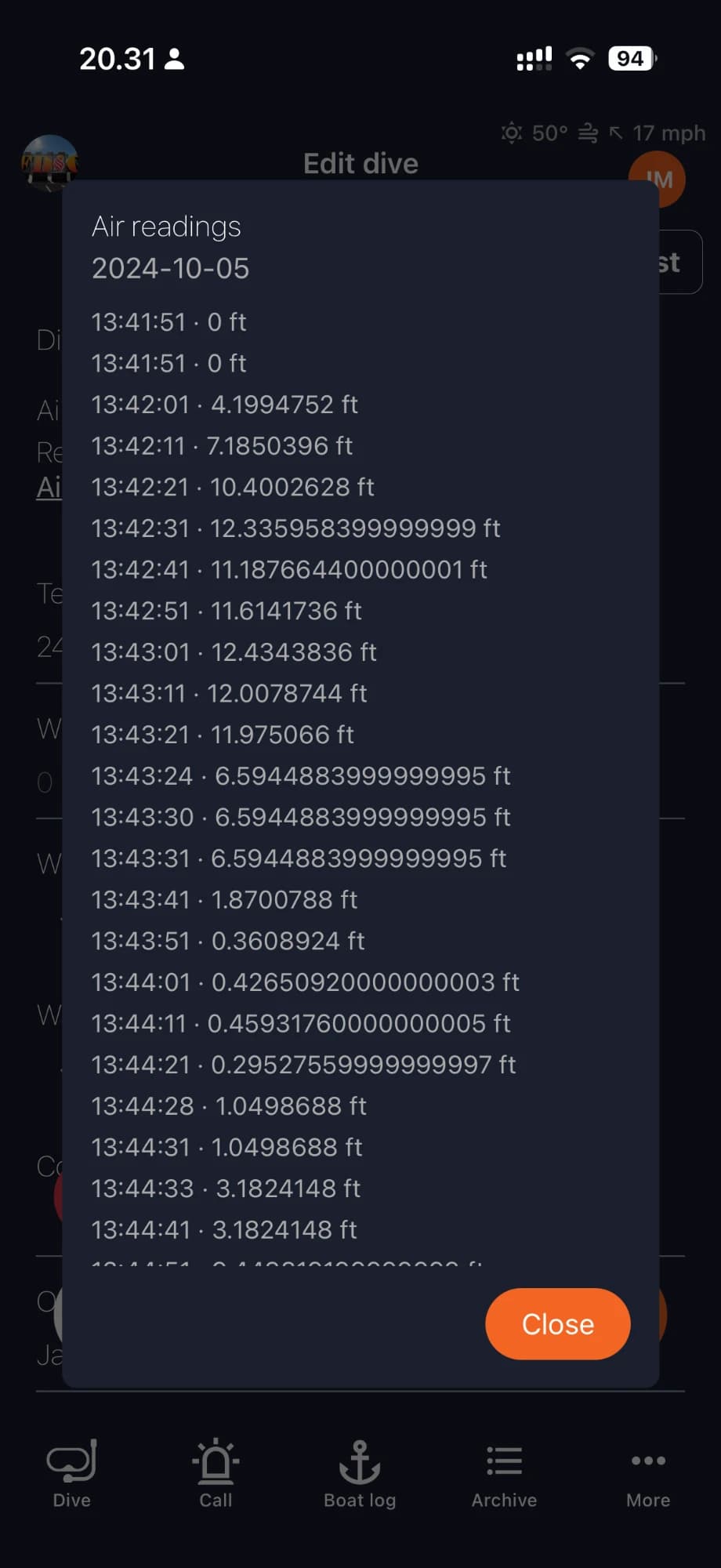
Dive profile and air/depth readings
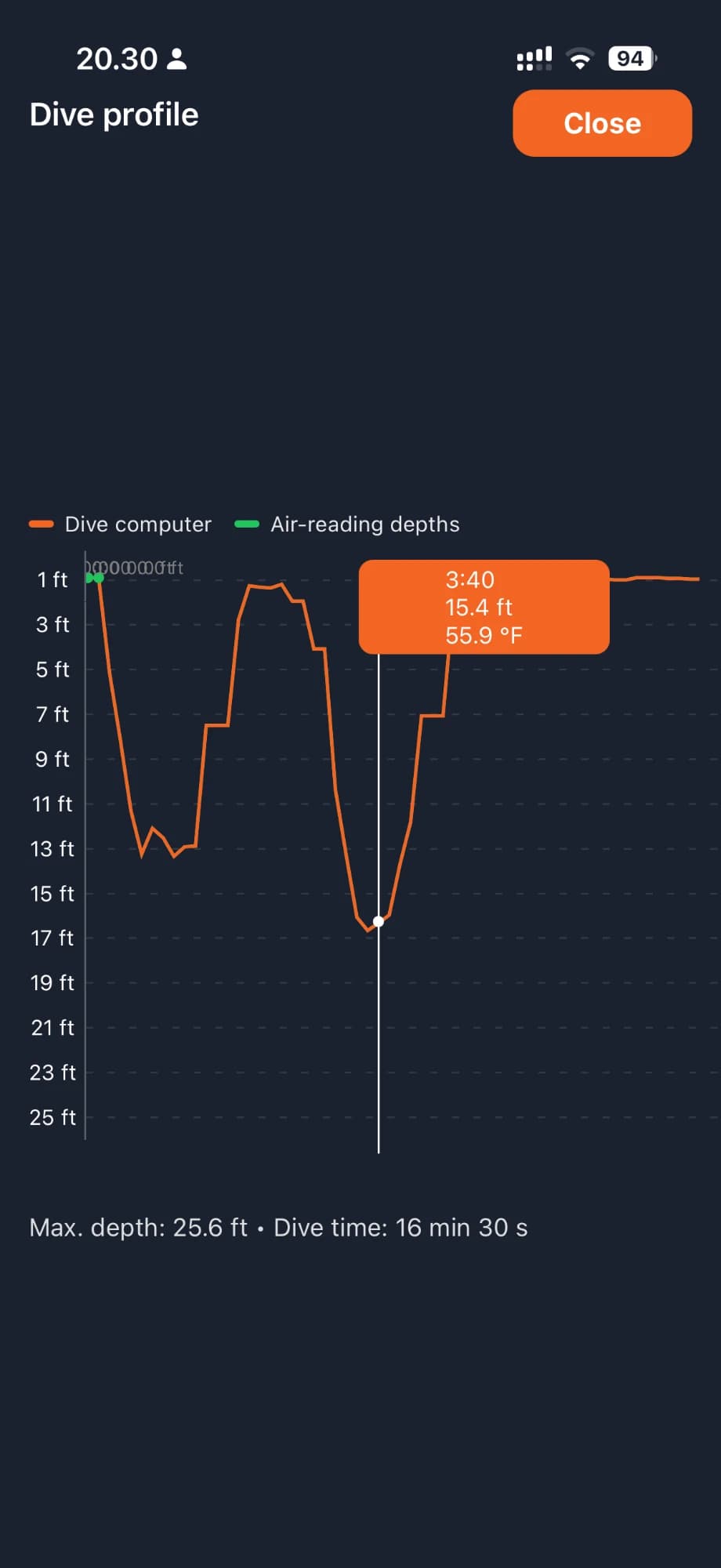
See the dive profile from the dive computer with max depth and dive time, next to the timestamped air/depth readings.
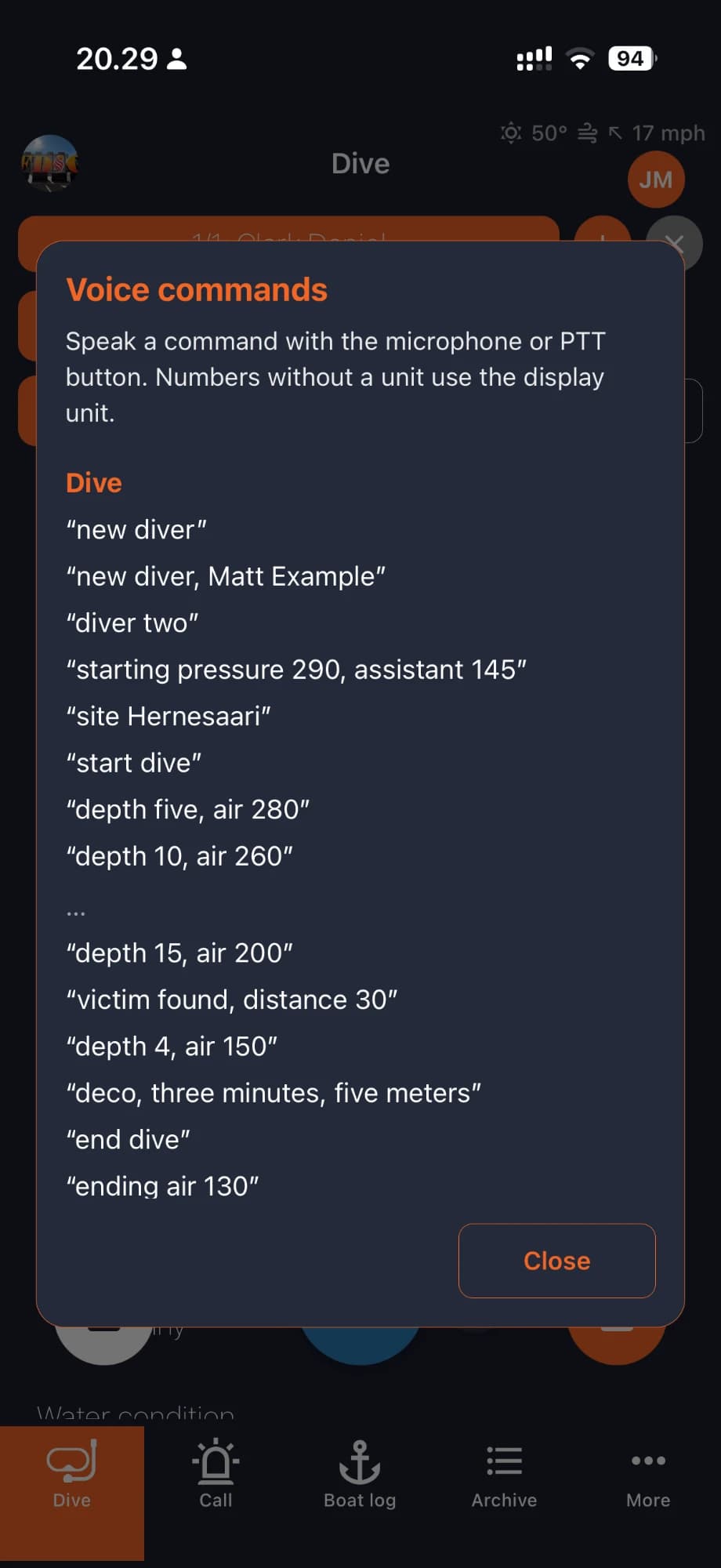
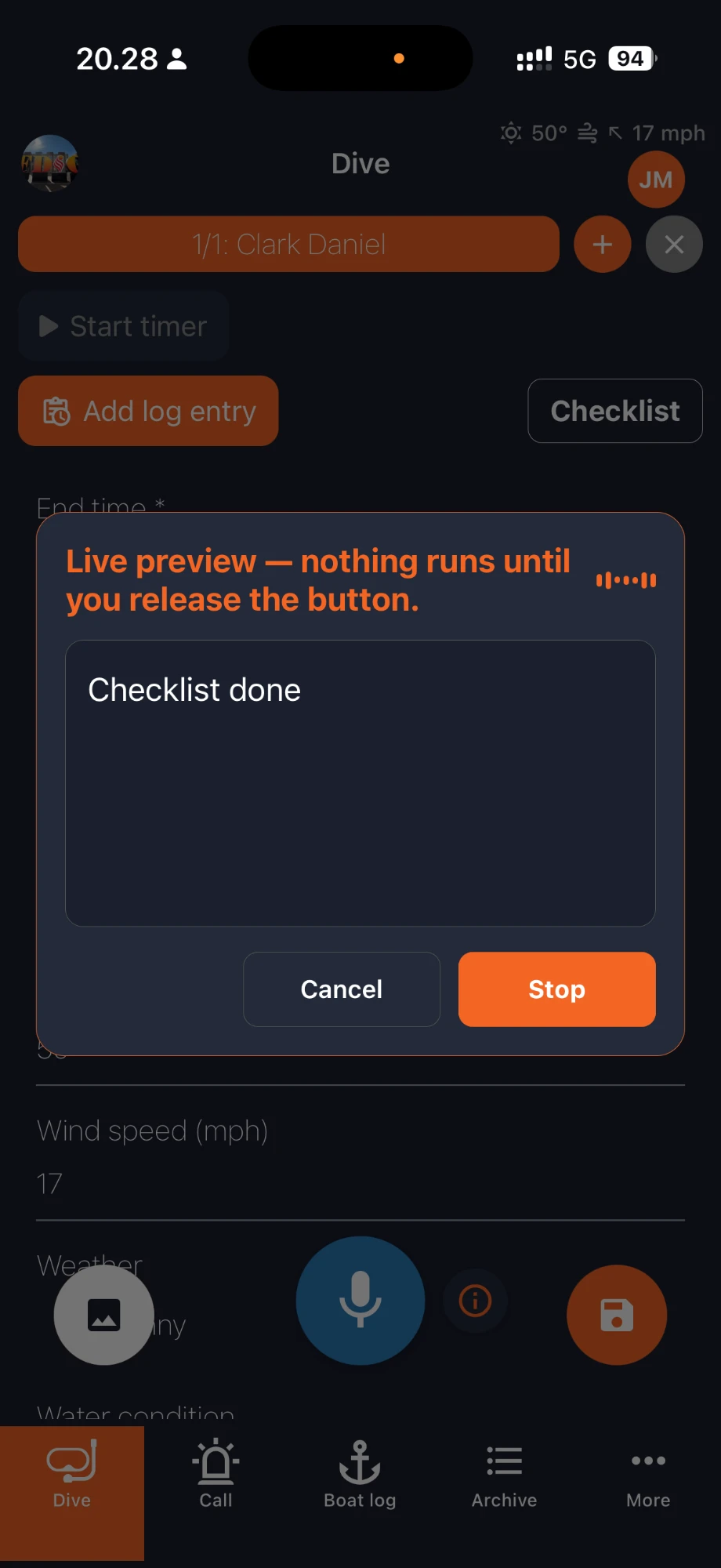
Hands-free entries
Speak a command or note. A live preview shows what was heard before anything runs.
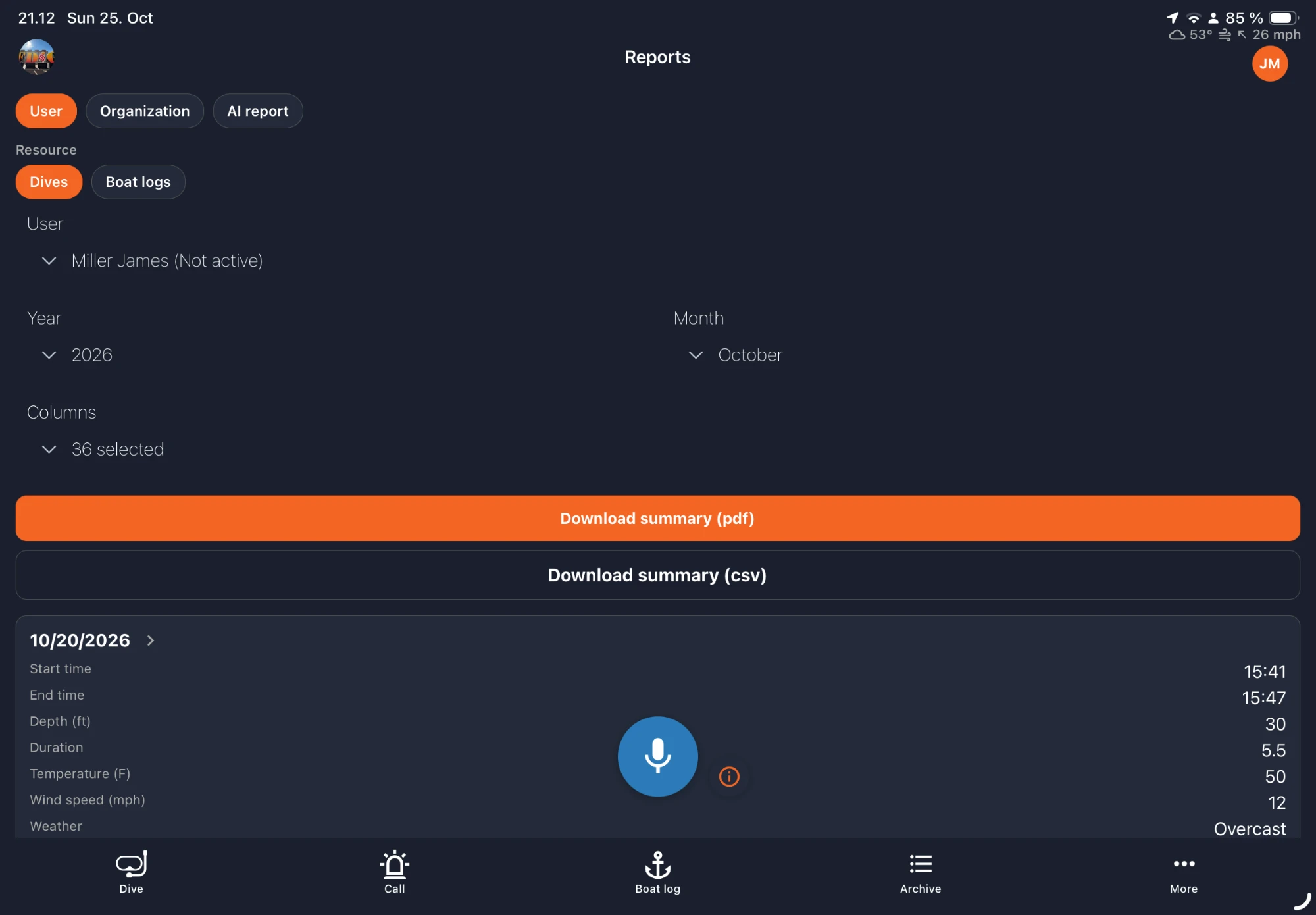
Reports
Pick a user, a month and the columns you need, then download the summary as PDF or CSV. CSV files can be imported into Excel.
Statistics
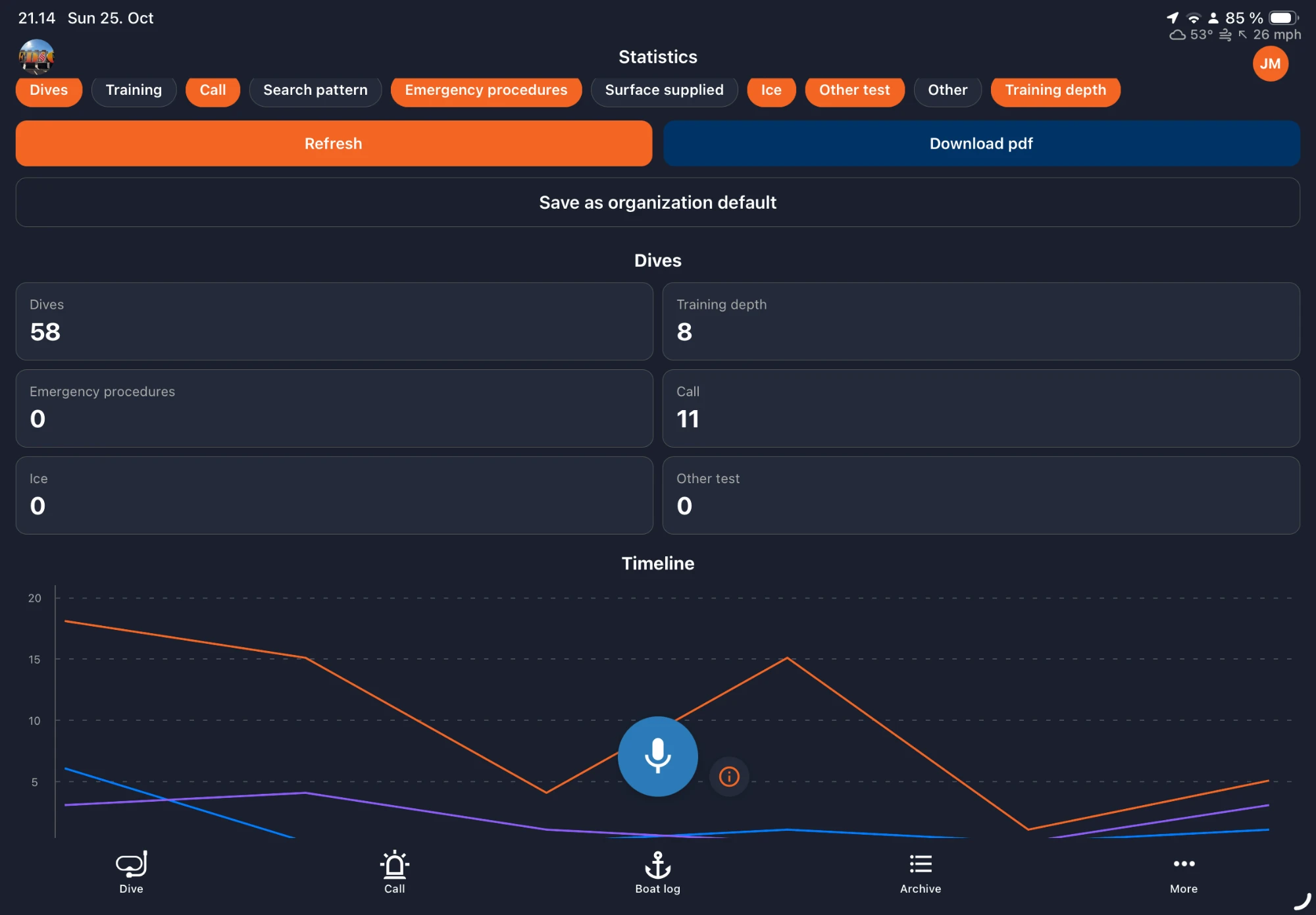
See dive counts by type and a timeline of your team's activity at a glance.
Dives per site
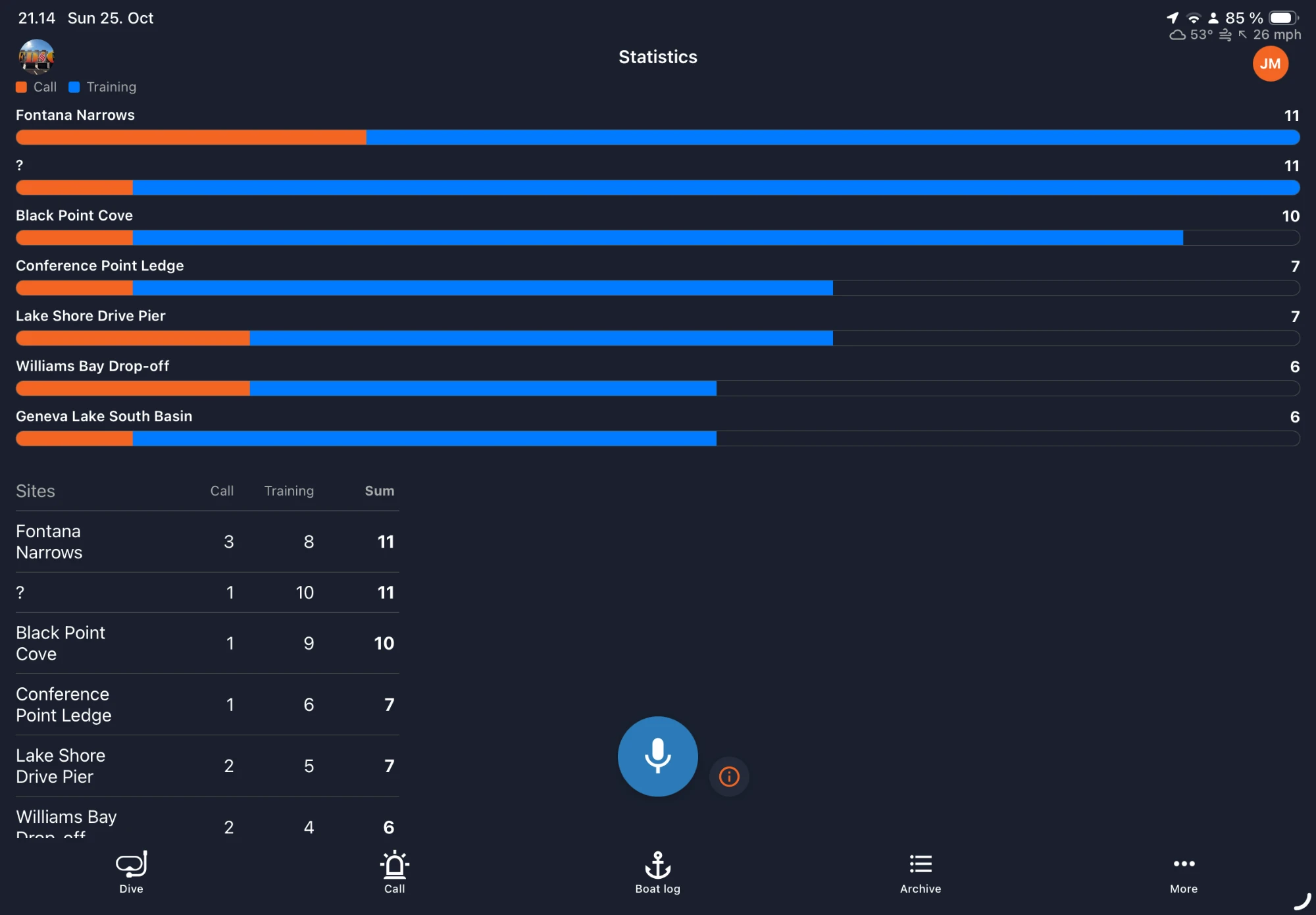
Compare sites by the number of call and training dives.
Dive planning
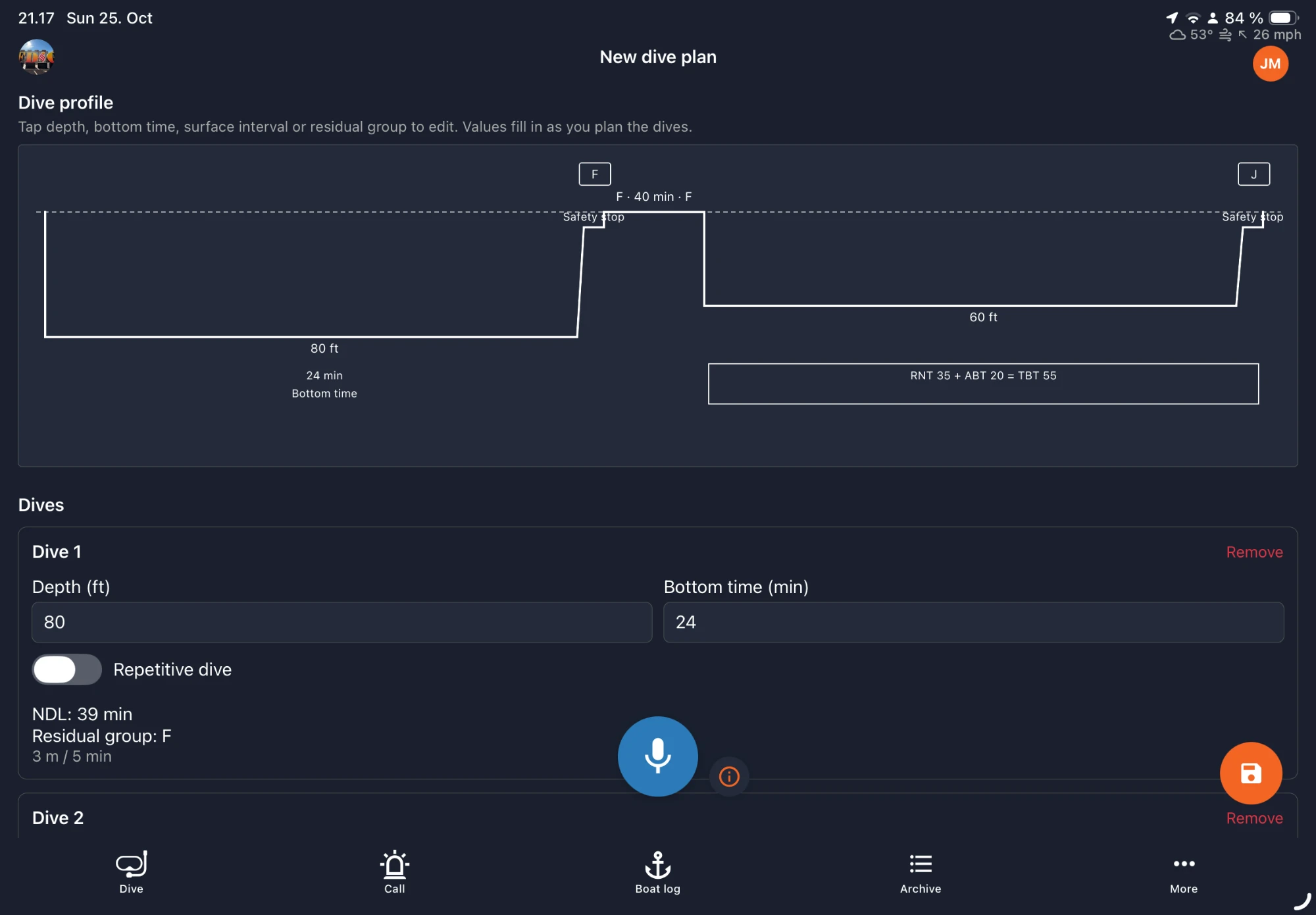
Plan repetitive dives with depth, bottom time and surface interval. The dive profile, no-decompression limit and residual group update as you plan. Calculations are based on the US Navy dive tables, and you can add other tables and use the one you want. Attach the plan to a dive.
For police, sheriffs and other law enforcement
Document a case or incident scene digitally, right at the location. Officers often need to draw a sketch of the area, and OpsLogger lets you do it on the map.
Sketch the scene
Draw the area on the map with points, lines, freehand drawings and areas, instead of sketching on paper.
Measure areas and lengths
Measure the size of an area or the length of a line directly on the map.
Show a grid
Turn on a grid on the map to help you judge positions and distances.
Before and during the dive
Dive planning
Plan repetitive dives with depth, bottom time and surface interval using the US Navy dive tables or tables you add, and attach the plan to a dive.
Live dive logging
Log the dive as it happens with a timer for every diver.
Customizable forms
Adapt forms and fields to your team's procedures.
Timestamped entries
Every note and event carries its time.
Boat logs
Live route and sonar search patterns.
Media on dives
Attach photos and other media to the dive record.
After the dive
Map view
Dives and sites on a map, color-coded by dive type.
Dive computer data
Works with the most common dive computers, such as Suunto and Shearwater. View the dive profile with max depth and dive time.
Statistics
Overview of your team's dive activity.
Reports
Monthly and yearly reports as PDF or CSV.
Archive
Past dives stay searchable and available.
More for your team
Trainings
Log training dives, annual tests and exercises, and keep training records next to operational dives.
Storage
Keep track of equipment in storage locations, with amounts, descriptions, media and QR codes you can generate and scan.
Vehicles
Keep your team's vehicles in the app.
Documents
Keep procedures, reference material and links available to the whole team.
Smoke and chemical dives
Elapsed-time alerts keep smoke and chemical dives on the clock.
Exposures
Track diver exposure across dives.
Templates and forms
Start from ERDI and PADI PSD templates, then customize forms to match your team's procedures.
See a dive being logged
Watch one diver's dive from checklist to end of dive: timer, log entries, air/depth readings and the dive profile. The recording uses demo data and has no sound.
An interactive demo is coming soon. Until then, we will walk you through OpsLogger live with your team's workflow in mind.
Frequently asked questions
Which platforms does OpsLogger run on?
OpsLogger is available for iOS, Android (Google Play) and on the web.
Which dive forms and templates are included?
OpsLogger includes ERDI and PADI PSD templates, and forms are customizable to match your team's procedures.
Can I plan dives in OpsLogger?
Yes. You can plan dives with depth, bottom time and surface interval, and attach the plan to a dive. Calculations are based on the US Navy dive tables, and you can add other tables and use the one you want.
Which dive computers are supported?
OpsLogger supports the most common dive computers, such as Suunto and Shearwater.
Can I export reports?
Yes. Monthly and yearly reports can be downloaded as PDF or CSV, and CSV files can be imported into Excel.
How much does OpsLogger cost?
Pricing depends on your team. Request a demo and we will walk you through options. We reply within 1 business day.